Using Inflect
How to Install and Deploy Inflect
Prerequisites
- Docker version 24+
- kubectl version 1.28+
- Node version 20.0+ and npm version 10+
- Have your Kafka broker URLs, Kafka API keys, and (optional) Schema Registry API keys ready
1. Clone the stream processor repository
sh
$ git clone https://github.com/inflect-framework/stream-processor.git2. Install npm packages
sh
$ cd stream-processor
$ npm i
3. Run make deploy
sh
$ make deployThis will begin the Inflect startup script
Using a self-hosted Kafka cluster?
If your Kafka cluster is self-hosted, provide a comma-separated list of all broker addresses (e.g., kafka1:9092,kafka2:9092,kafka3:9092) during setup
If using SASL_PLAIN for authentication, provide username and password instead of API key/secret
If using a self-hosted Schema Registry, leave the Registry API fields blank and provide only the Registry URL.
How to Use Inflect
Accessing the UI
To access the UI locally, cd into the client directory and run npm run, then visit localhost:3010 in your browser.
NOTE
If you are having issues connecting to the PostgreSQL database from the UI, ensure that you have permissions to access the containerized database locally
Creating a pipeline
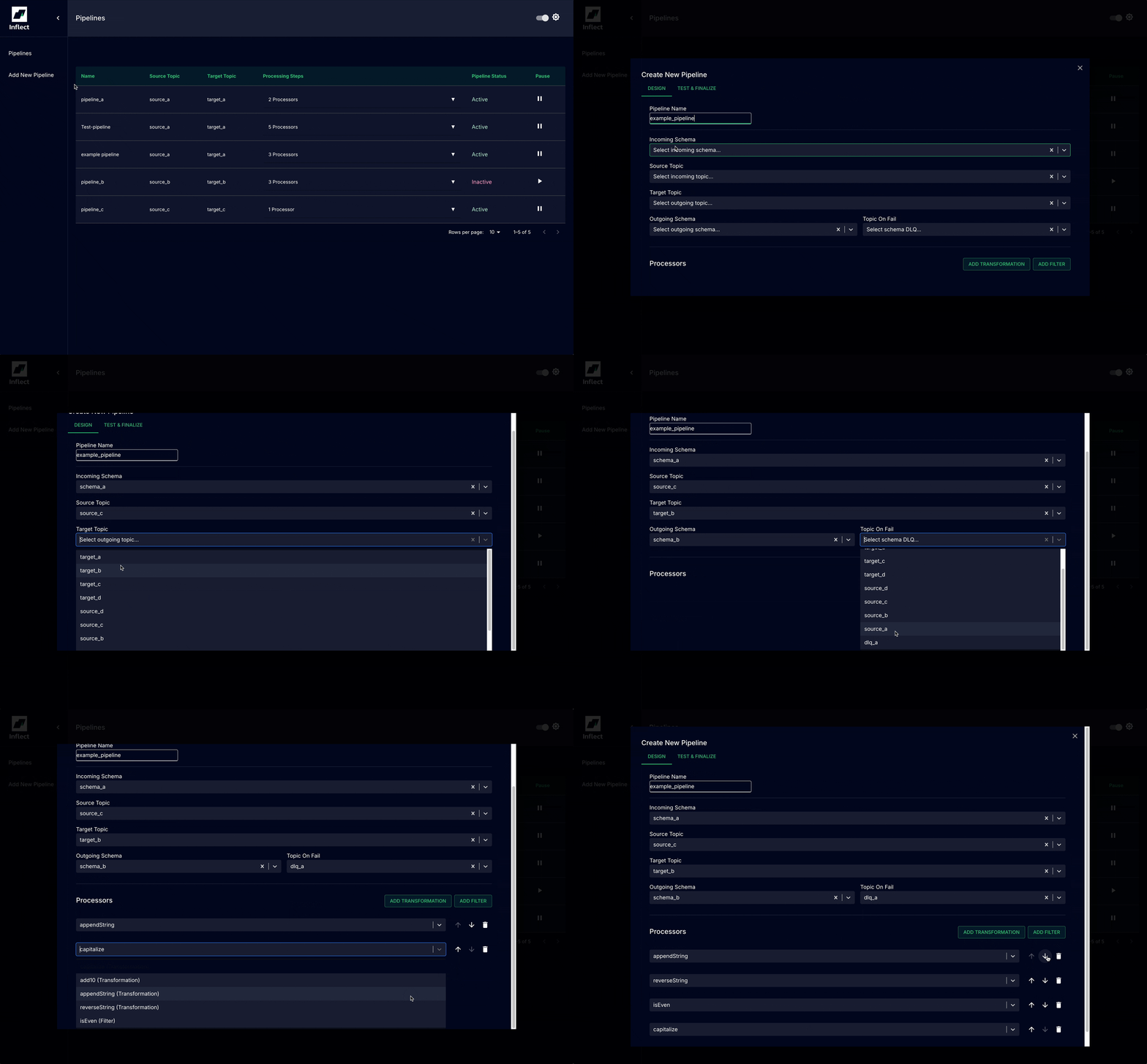
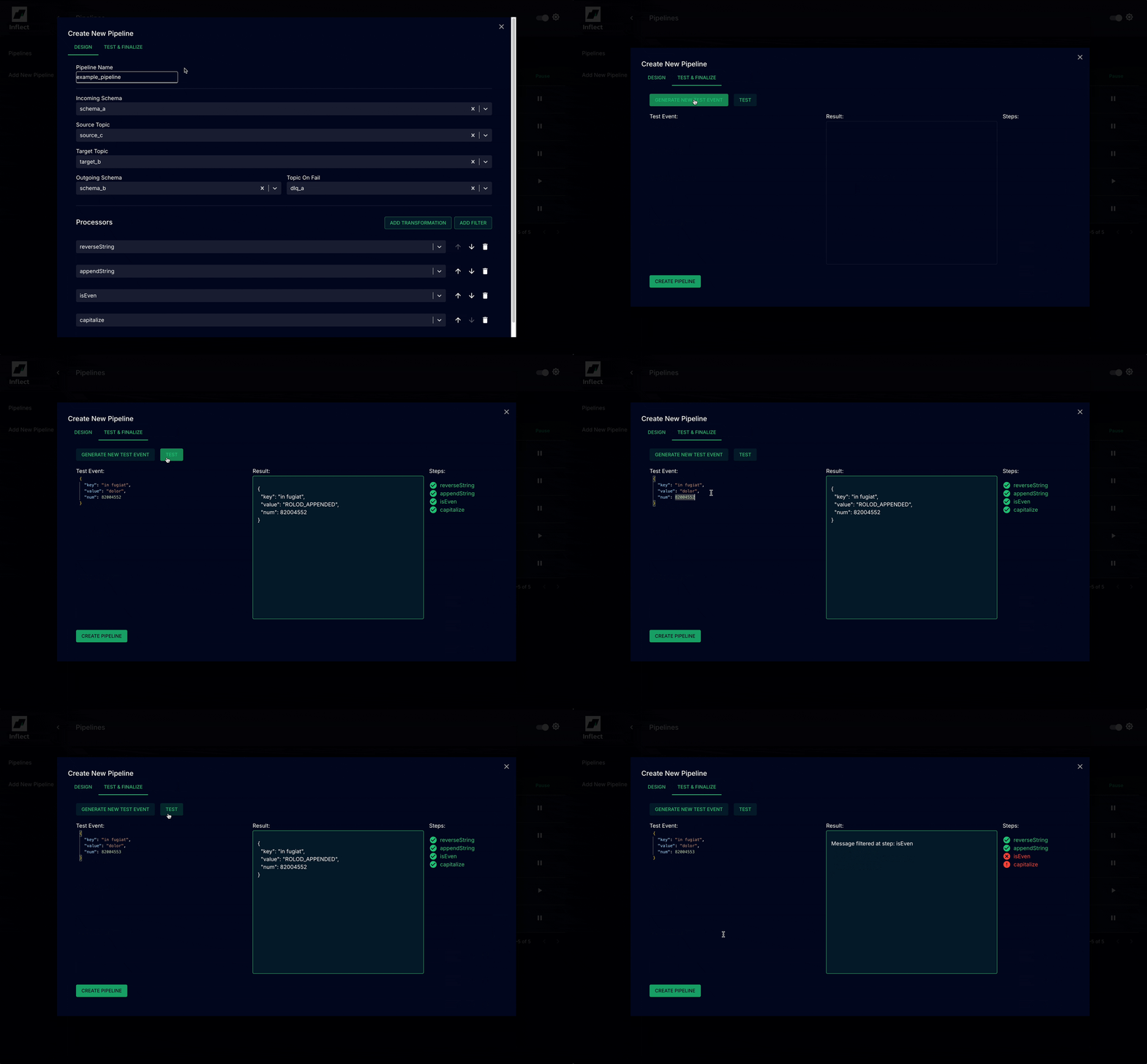
Testing a pipeline
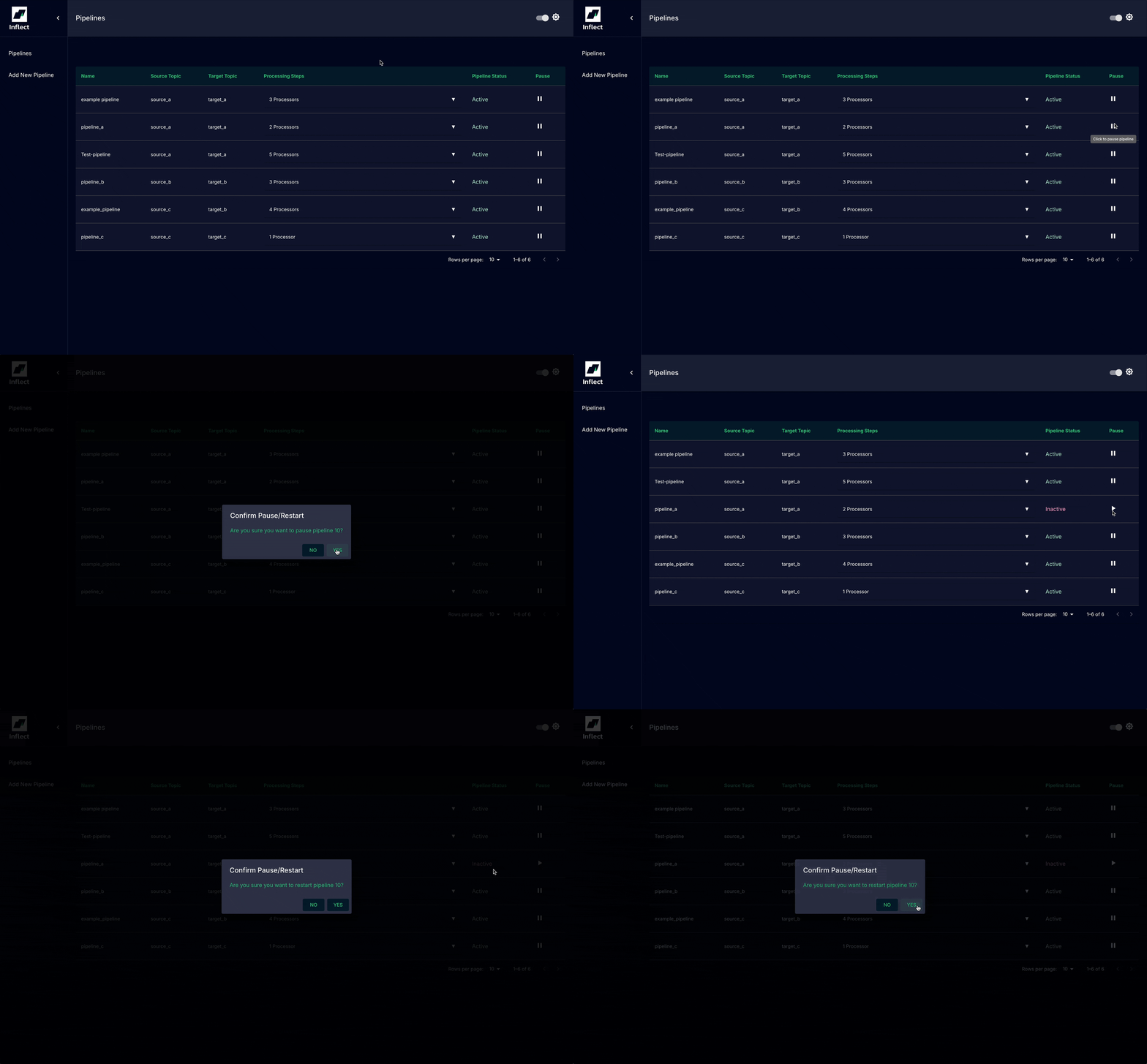
Pausing a pipeline